Selling a car.
Cover your plate, and the plates of the cars behind you, before the listing goes up on mobile.de, Kleinanzeigen, AutoScout24 or eBay.
 AnonyMaxComing soon to the App Store
AnonyMax is a photo privacy app for Mac, iPhone and iPad. It finds and covers faces, number plates and personal text in photos, screenshots and scans, removes hidden data like location, and checks the copy before you share it. Private & Offline, on your device.
Private & Offline · No account · English and German
Why blur is not enough
Blur and pixelation average the pixels they hide. The text gets harder to see, but the information is still in the picture, and software can often read it back.
AnonyMax builds every cover from what surrounds the secret, never from the secret itself. There is nothing in it to read back.
Measured: in AnonyMax’s own guess-and-compare attack, all four cover looks scored at chance. In each look, 0 of 3 card numbers and 0 of 3 number plates were read back (measured 11 November 2026). The old blur, kept as a control, was read back.
How the covers were tested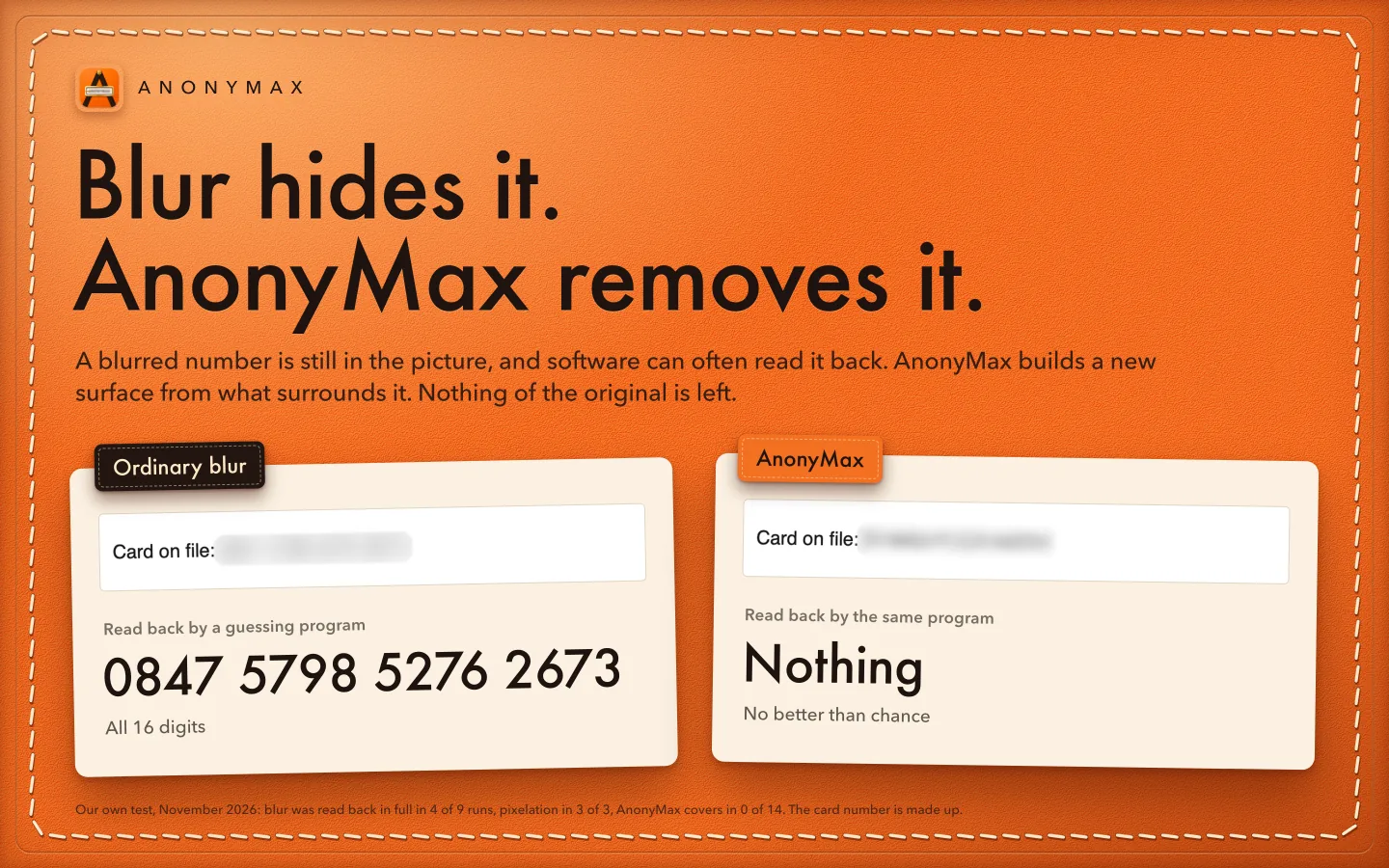
Who it is for
Real app · Mac 1.0 (7)
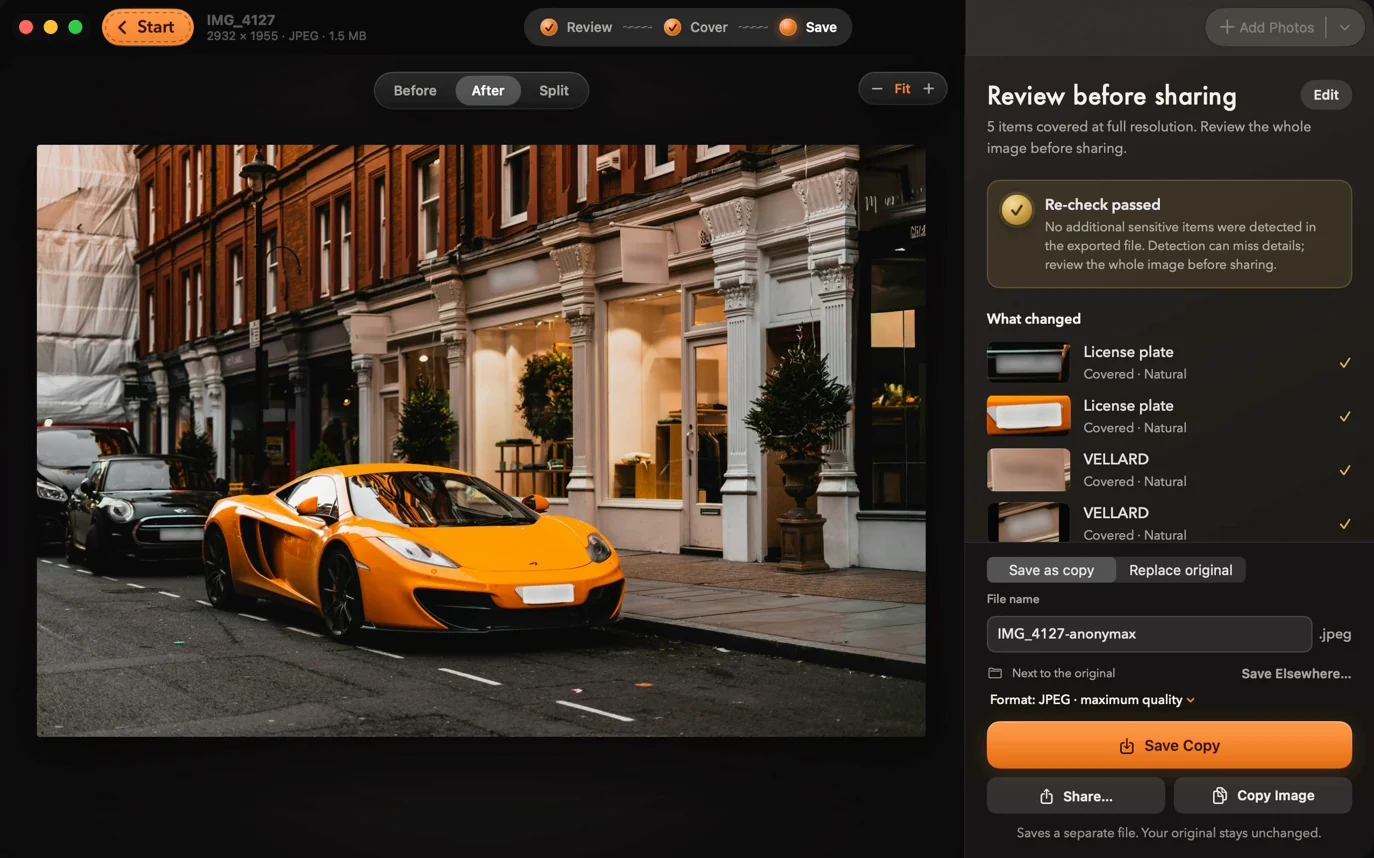
A screen recording of the Mac app on a demo photo. AnonyMax finds both plates and the shop sign, covers what you choose, removes the hidden data and checks the saved copy again.
Muted cut of the Mac App Store preview. Photo by Jack Lucas Smith on Unsplash; the plates are fictional.
Four steps, shown in the Mac App Store screenshots. Real screens from Mac 1.0 (7).
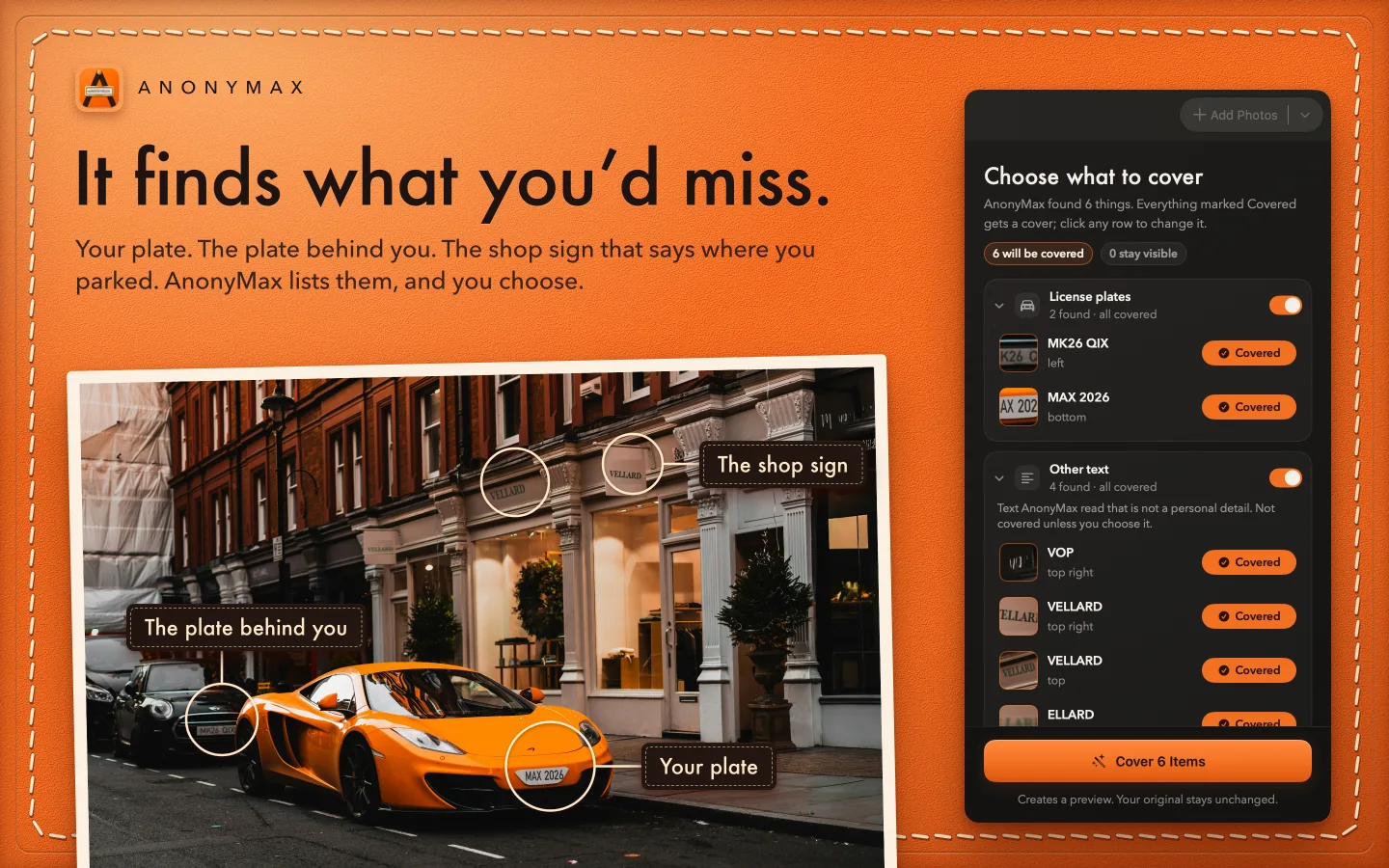
Your plate, the plate behind you, the shop sign that says where you parked. AnonyMax lists them in plain words, and you choose.
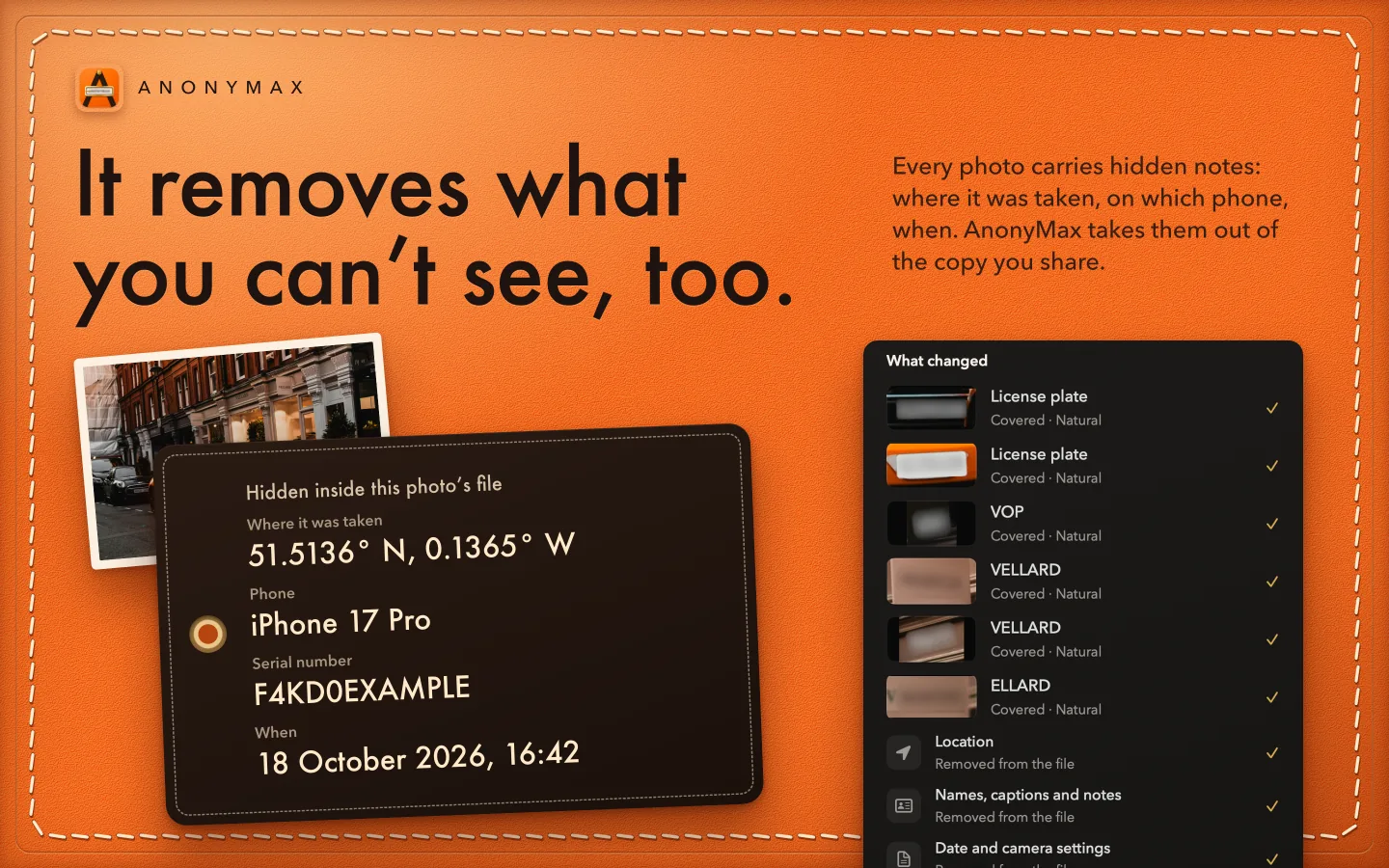
Where the photo was taken, the phone, its serial number and the time. AnonyMax takes them out of the copy you share.
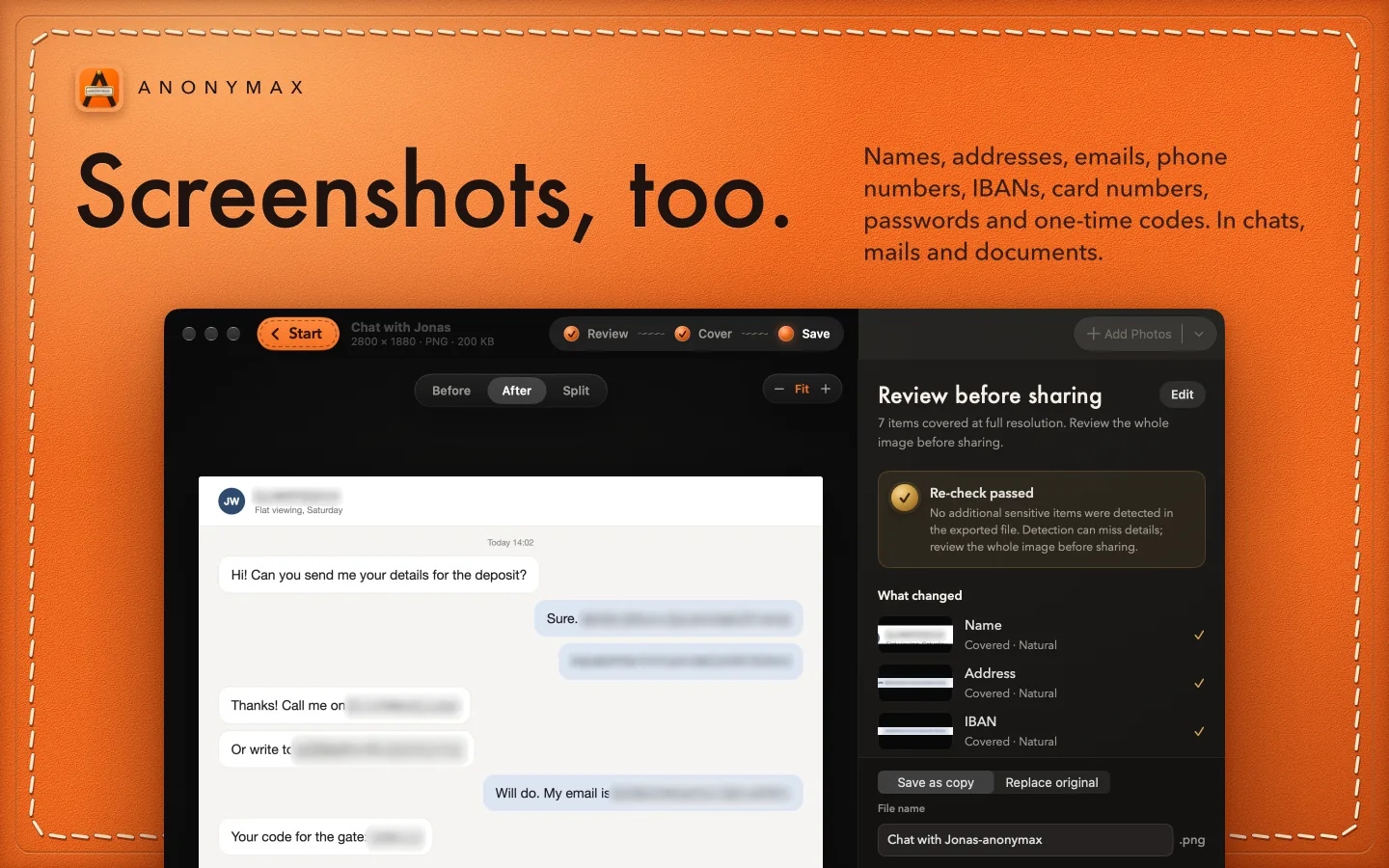
Names, addresses, IBANs, card numbers and one-time codes in chats, mails and documents.
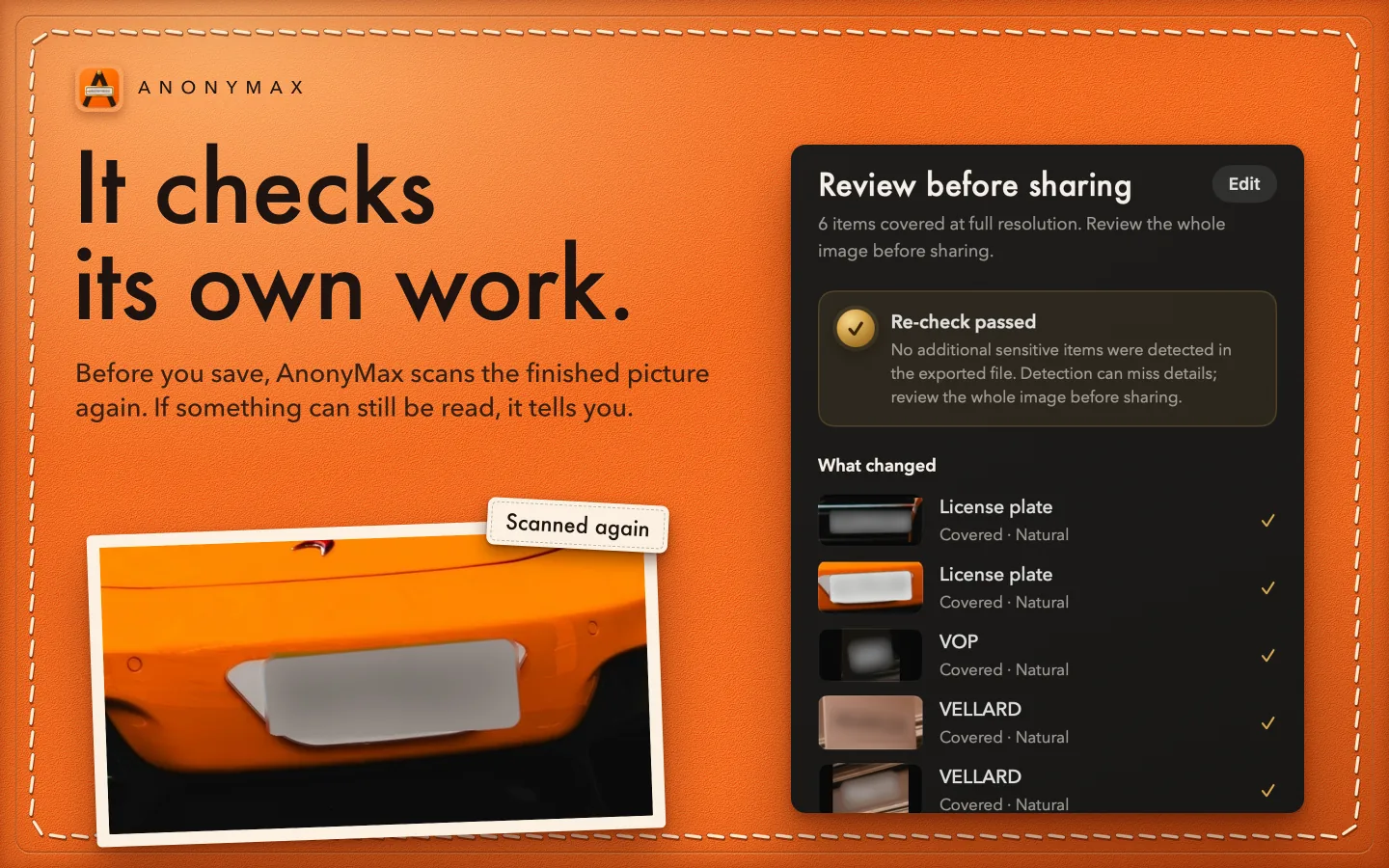
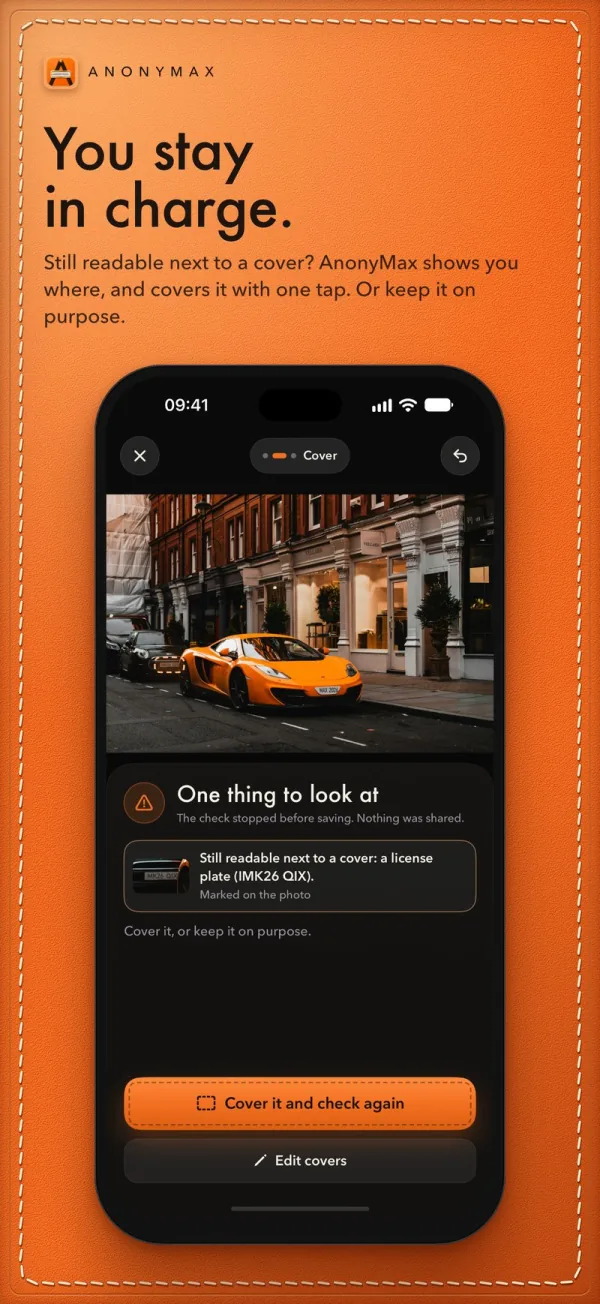
Before you save, AnonyMax scans the finished picture again. If something can still be read, it tells you.
The same check in your pocket: find, cover, check again, share. Real screens from iPhone and iPad 1.0 (15), from the App Store screenshots.
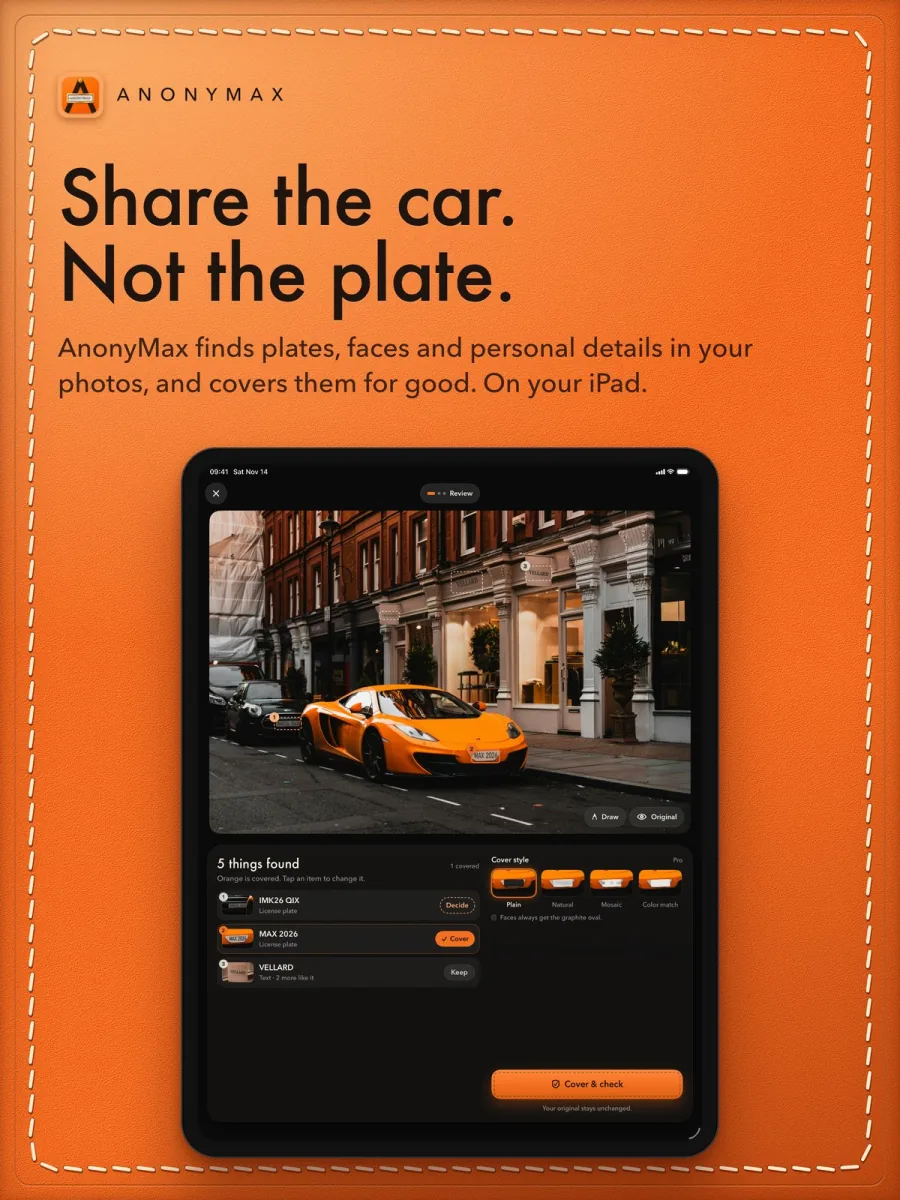
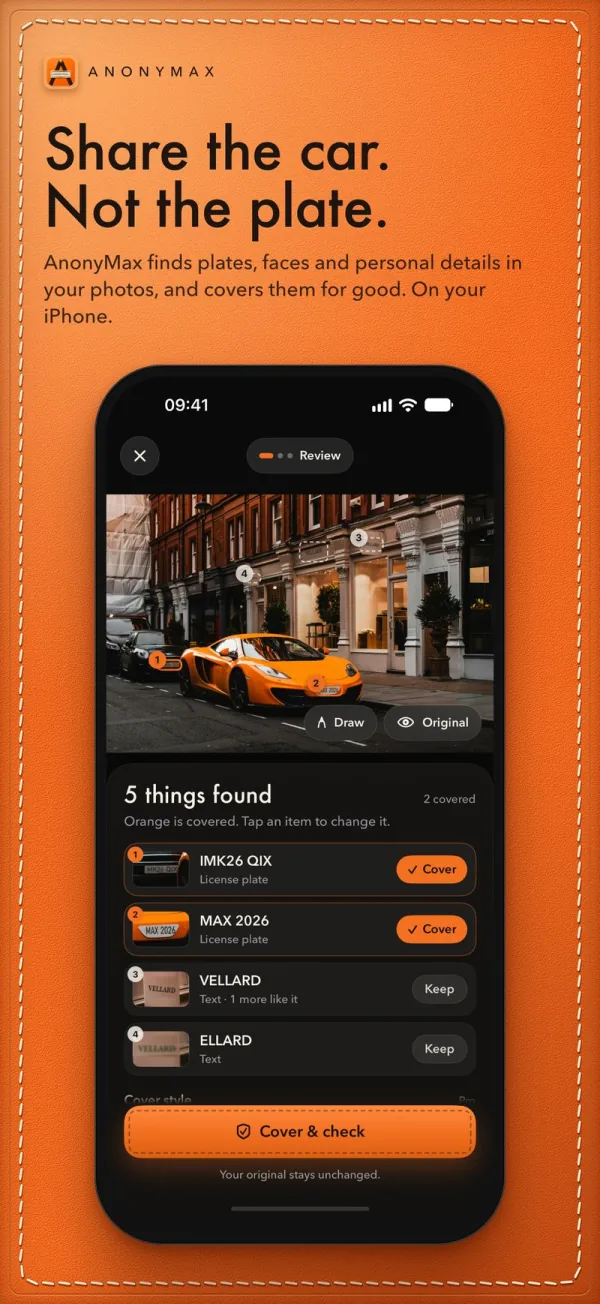
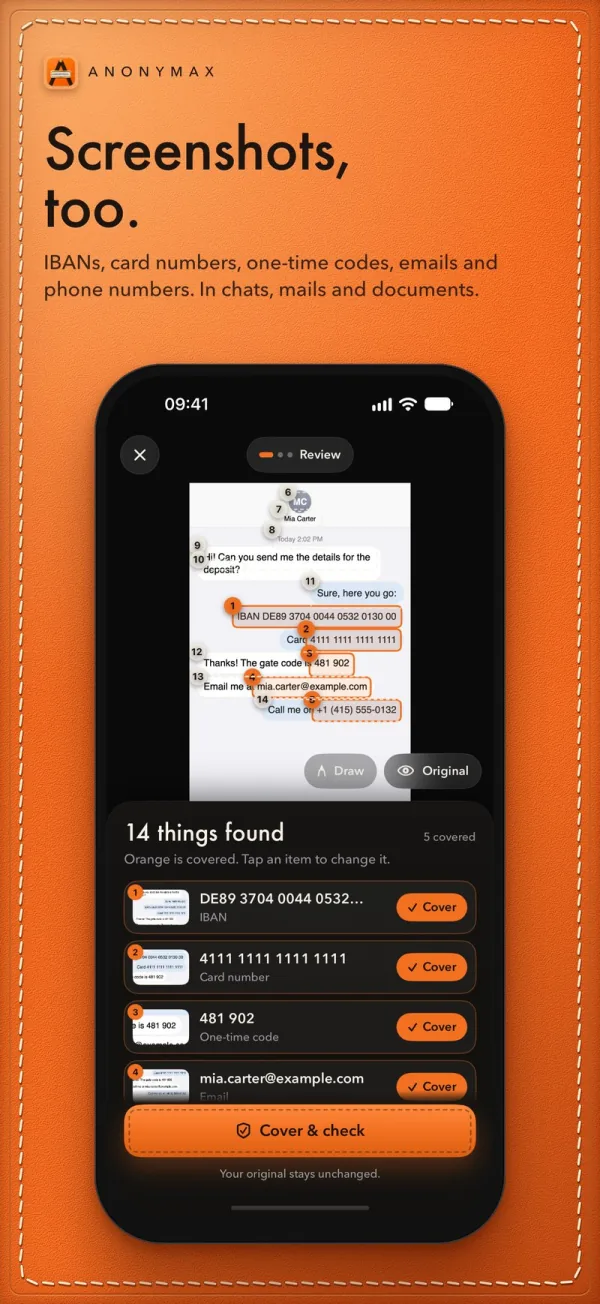
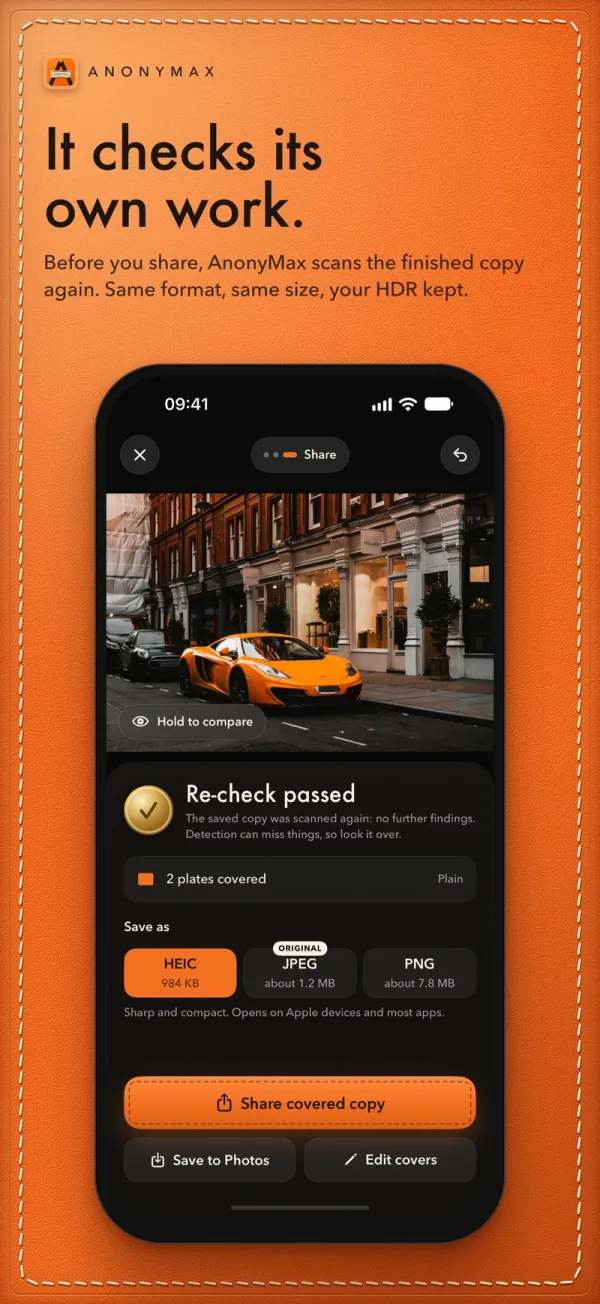
AnonyMax is in App Store review now. The App Store link follows here on launch day.
Visit anonymax.appIn review: Mac 1.0 (7), iPhone and iPad 1.0 (15).
No detector can promise that. AnonyMax shows you everything it found and lets you add covers to anything it missed. Look at the whole picture before you share; the second check is an extra check, not a guarantee.
No. Finding, covering, cleaning and the second check run on your device. There is no account and no upload step.
Save Copy writes a separate file, and your original stays unchanged. If you choose Replace Original, the original is kept where you can recover it. It is not securely erased.
A blur keeps a trace of what it hides. AnonyMax covers are built from the surroundings and fresh randomness, so there is nothing in them to read back. The details and the numbers are on anonymax.app.
AnonyMax is in App Store review for Mac, iPhone and iPad. Until it is out, the film and all the details are on anonymax.app. Questions and ideas are welcome in the GitHub repo.