
Best local clipboard managers for Mac
Choose between built-in clipboard history, a lightweight search tool and a local work queue for clips you reuse.
Auf Deutsch lesen →
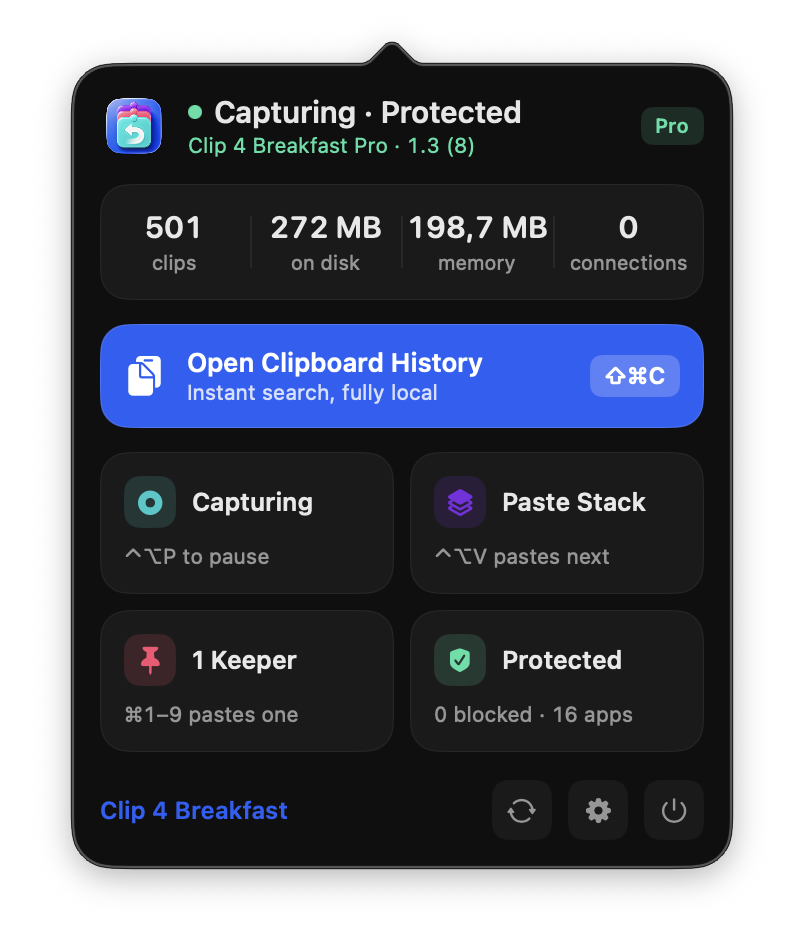
Clip 4 Breakfast is our pick if your clipboard is part of a repeated workflow. Use local history to find an item, Keepers to preserve the snippets you use again, and Paste Stack when you need to paste several clips in sequence. For occasional recall, start with Spotlight on macOS Tahoe or the open-source Maccy. Clip 4 Breakfast comparison · Maccy
Choose by what happens after you copy
- Spotlight retrieves recent clipboard items without installing a separate app on macOS Tahoe. Open Spotlight and switch to Clipboard History. Apple’s macOS Tahoe feature guide
- Maccy offers searchable local history in a lightweight, open-source app. It is a good fit if you want to recall and paste items with a shortcut. Maccy
- Raycast is worth trying if it is already your launcher. Its built-in history supports search and configurable handling of Universal Clipboard items. Raycast Clipboard History
- Clip 4 Breakfast gives people who work through batches a local Paste Stack and Keepers alongside searchable history. It has a free tier and a one-time Pro purchase. Clip 4 Breakfast
Try a three-clip workflow
Take a support reply with a greeting, a troubleshooting link and a sign-off. Keep the reusable pieces in Keepers. Put the items in Paste Stack in the order you need them, then paste them into separate fields. For a single reply, searchable history may be all you need. For a series of tickets or form submissions, a queue saves you from looking up each item again.
Decide what your clipboard should keep
Clipboard history can retain much more than prose. Review capture exclusions and retention before you use any manager with private work. Use harmless sample text to check how exclusions behave, and inspect the current settings if you change clipboard tools. Clip 4 Breakfast documents local history and its capture protections on its product site. Clip 4 Breakfast privacy and capture features